

Whether you’re just starting out or already deep into the markets, you will eventually face the same challenge: finding a reliable, powerful, and flexible trading platform. That’s where MetaTrader comes in; a platform built to meet the real needs of modern traders.
This platform, with its extensive features and user-friendly environment, has become one of the most popular tools for traders worldwide.
Here in this article of ParamountMarkets, we will guide you through all that you need to know about MetaTrader, from its fundamentals and operations to registering and mastering the key features that allow you to trade more intelligently. Keep reading to get “what is MetaTrader” and how it works.
What Is MetaTrader?
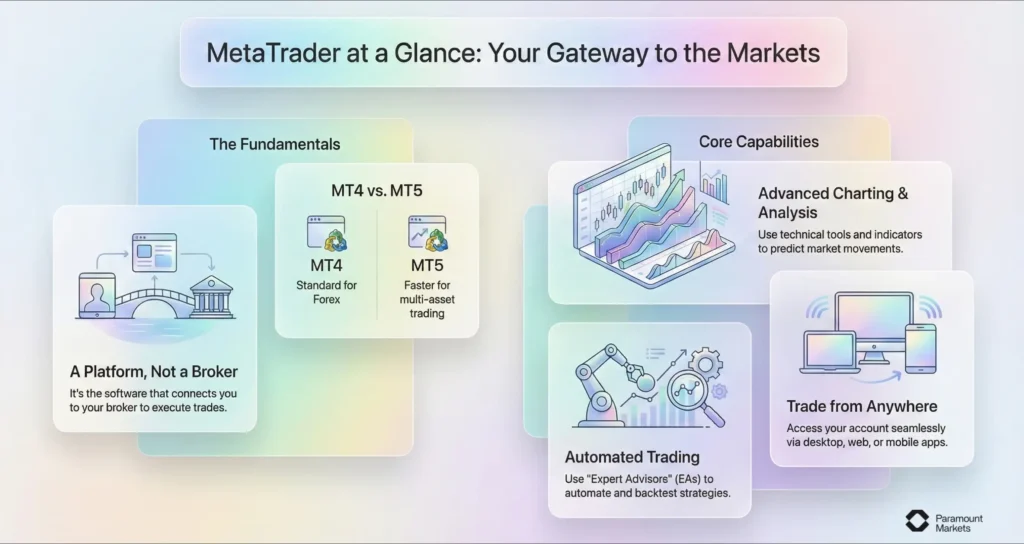
MetaTrader is an all-in-one electronic trading platform that retail traders and brokers use for market analysis, trading, and strategy automation. It supports a wide range of asset classes, including forex, commodities, stocks, indices, and cryptocurrencies, and provides tools for analyzing markets, executing trades, and managing portfolios.
The MetaTrader platform is a cross-platform program with two main editions: MetaTrader 4 (MT4) and MetaTrader 5 (MT5) designed by MetaQuotes Software.
MetaTrader is one of the most popular trading platforms in the world. Its flexibility, customizability, and rich features make it a preferred choice for many traders and brokers. MetaTrader was designed to be an all-in-one, fully integrated trading platform where traders can analyze charts, execute trades, and manage their portfolios all in one place.
How Does MetaTrader Work?
MetaTrader is the dashboard for your entire trading experience. Once installed, the platform connects to your broker’s server and offers real-time price data, trading tools, and order execution capabilities to you.
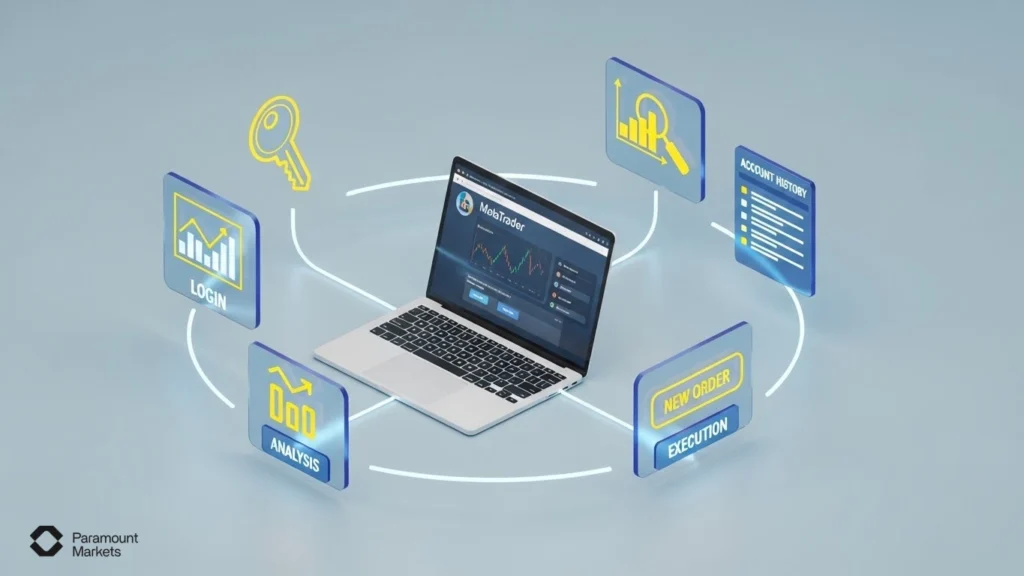
MetaTrader is where all your trading decisions come to life. Here’s how you actually use MetaTrader in your daily trading routine:
- Log in with your broker account details to sync your trading account.
- Open the Market Watch panel to browse available instruments like currencies, gold, or indices.
- Drag an asset (e.g. GBP/USD) onto the chart to start analyzing it.
- Add indicators or draw on the chart to prepare your trade setup.
- Click on “New Order,” choose your lot size, set stop loss/take profit, and hit Buy or Sell.
- Track your open trade in the Terminal window; you can adjust or close it anytime.
- After the trade closes, review your results in the Account History tab to improve your strategy.
Want to learn how MetaTrader 5 works so you can use it in your trades with Paramount Markets? Check out this guide.
Now let us look at MetaTrader’s primary modules in more detail.
Charting and Technical Analysis
One of MetaTrader’s most powerful features is its charting engine. Users can visually analyze markets by utilizing:
More than 30 technical indicators at your disposal, such as Moving Averages, RSI, MACD, Bollinger Bands, Stochastic Oscillator, etc. They help you spot trends, momentum, volatility, and potential trading opportunities.
Change colors, styles, zoom and chart type (candlestick, bar, or line).
MT4 offers 9 different timeframes from 1 minute to 1 month. MT5 increases this to 21 timeframes, allowing for more detailed analysis.
Add trendlines, Fibonacci retracements, channels, and more.
Traders use these tools to come up with trade ideas, backtest strategies, and optimize forecast accuracy.
Key Trading Features in MetaTrader
Trading on MetaTrader is straightforward if you know your way around the interface, which is explained below:
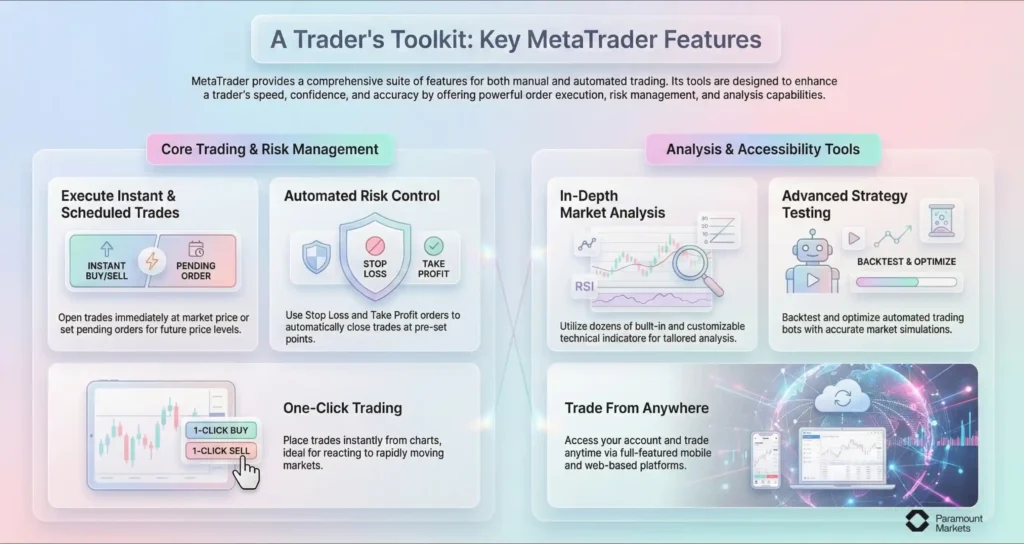
Open a trade right away at the current market price.
Place an order to open a trade when the price hits a specific level. Buy limit, Sell Limit, Buy Stop, and Sell Stop are available.
Manage risk by pre-setting exit points. Trades automatically close when the set level is touched or reached.
Displays real-time bid/ask prices for all instruments offered.
Allows instant trading from charts or the Market Watch with a single click—ideal for rapidly moving markets.
Dozens of Built-in and Customizable Technical Indicators: Use many built-in indicators, or add your own for tailored analysis.
(especially in MT5): Back test and optimize your trading bots with accurate simulations.
Trade anytime from mobile or web without needing your desktop.
Get instant alerts on price changes and trade events via Real-Time Notifications.
This suite makes MetaTrader accessible to both strategy-based and response-based types of trading. Whether you trade manually or through automation, these features are designed to enhance your speed, confidence, and accuracy.
Automation with Expert Advisors
MetaTrader supports algorithmic trading via Expert Advisors (EAs). EAs are custom-coded bots that automate the entire trading process, from scanning markets to opening and closing trades.
MT4 uses MQL4; MT5 uses the more advanced MQL5, which supports real-time strategy testing and faster execution. You can code your own EA or download one from the MetaTrader marketplace.
By eliminating emotional biases, automation brings consistency and is a game-changer for advanced traders.
Copy Trading
For passive traders or beginners, MetaTrader has incorporated copy trading features. It works through a built-in system that lets you browse and subscribe to top-performing traders directly from the platform. You can subscribe to a signal provider, and the platform will automatically copy their trades into your account.
This is ideal for those who want to learn by watching or don’t have time for active trading. It’s a hands-off way of participating in markets while learning from proven strategies.
Note: MT5 copy trading is more integrated with filtering and in-depth analytics.
Platform Accessibility
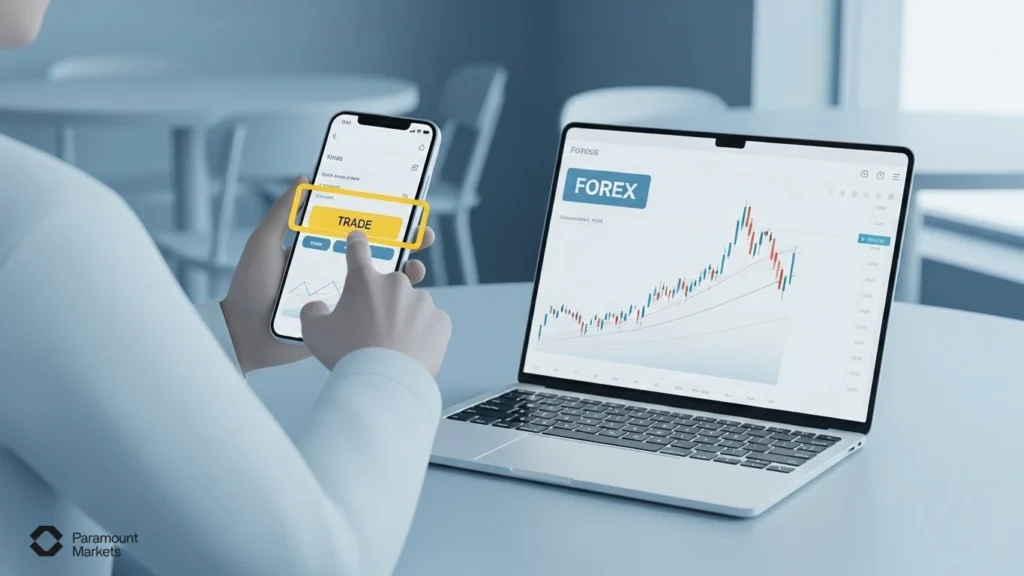
MetaTrader platforms are designed to be accessed anywhere, at any time on:
Desktop Platforms: Windows and macOS versions for feature-rich trading.
- Mobile Apps: iOS and Android apps allow trading and analysis anywhere.
- WebTrader: Access MetaTrader via browser without installing anything.
All the devices synchronize in real time. You can start analysis on the laptop and execute trades on your phone minutes later. This is perfect for traders who enjoy real-time interaction.
To download MetaTrader for any operating system, simply use these:
Why Trade With MetaTrader: Key Advantages You Should Know
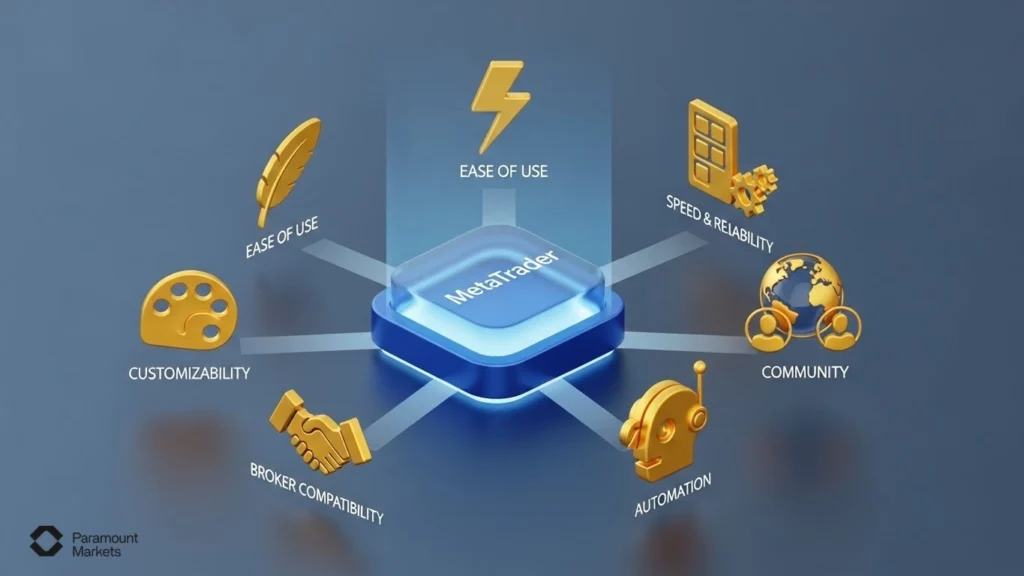
What sets MetaTrader apart is how its tools work seamlessly together, providing a stable, high-performance environment that adapts to any trading style. Let’s break down how MetaTrader benefits transforms the real-world trading experience:
Ease of use
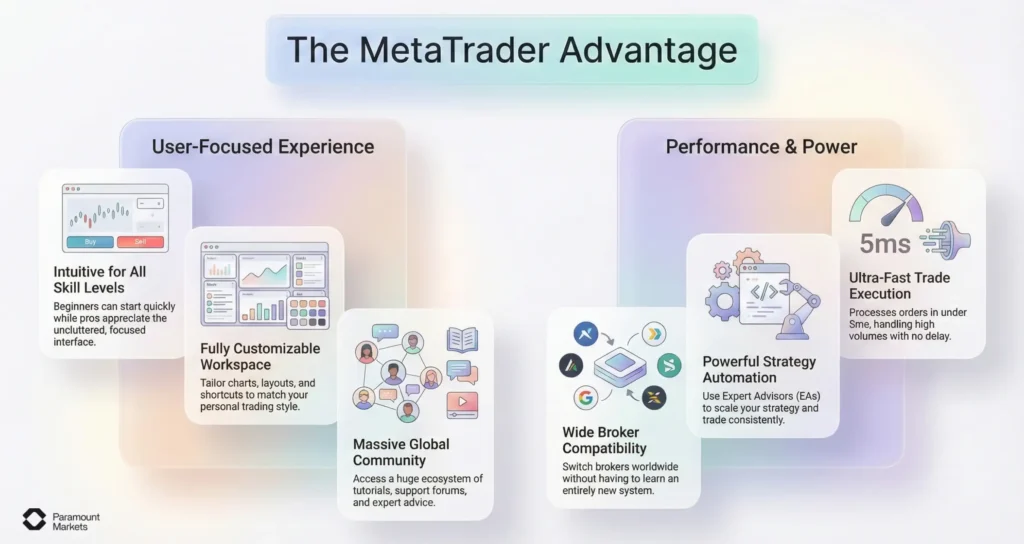
MetaTrader is easy to use because it has intuitive navigation, clear charts, and simple menus. This makes the program beginner-friendly because users are quickly acclimated to the platform. It also offers complex tools but with easy-to-follow steps so as to avoid confusion for newbies who wish to start trading with confidence.
Beginners can get started fast, while pros appreciate the uncluttered interface for deeper strategies. This ease of use allows you to focus more on the market and less on figuring out the software.
Speed and reliability
Fast and stable execution is vital in trading, and MetaTrader delivers this by executing trades with no delay.
According to performance tests, MT5 typically processes orders in under 5 ms, including liquidity provider latency, and can handle around 750 orders per second during high-load operations.
Keep in mind that actual performance depends on your broker’s server setup and your connection too. A well-configured broker (like ParamountMarkets) and a robust VPS can help you take full advantage of MT5’s responsiveness.
Personalization and control
From chart colors and layouts to shortcut keys and strategy templates, you can tailor the platform to fit how you think and trade. That personalization helps you trade more comfortably and efficiently. The ability to create a workspace that reflects your process leads to fewer mistakes and greater confidence.
Community support
MetaTrader has a massive global user base. This has resulted in one of the largest ecosystems of trading tutorials, support forums, 3rd party plugins and expert advice. So whether you’re debugging a problem or researching new ideas you’ll never be on your own in this forum.
Compatibility with brokers worldwide
If you are trading with a local or foreign broker, there is a high probability that MetaTrader is supported by them. This means that if you change your broker, or want to open another trading account, you won’t have to start all over again with a new system. This kind of flexibility is a very helpful feature if you plan on scaling your setup or switching things up as the market dictates.
Support for automation and advanced strategies
Advanced traders love the ability to run Expert Advisors (EAs), but even semi-automated setups are easy to implement. This gives you the freedom to scale your strategy without being glued to the screen.
With automation, MetaTrader becomes more than just a platform; it becomes your silent partner in disciplined, consistent trading.
Introducing the Two Versions: MT4 and MT5
The two basic versions, MetaTrader 4 (MT4) and MetaTrader 5 (MT5), perform different tasks. MT4 became the gold standard for Forex trading, whereas MT5 is more advanced and versatile for multi-asset trading.
Understanding what each version offers can help traders fit their instruments with their strategy and goals.
MetaTrader 4 (MT4): The Forex Standard
MT4 has proven to be an enduring platform. Released in 2005, it rapidly became the platform of choice for millions of Forex traders due to its simplicity, stability, and widespread broker support.
Light on system resources, MT4 loads quickly and runs responsively on even older systems without sacrificing technical analysis or Expert Advisor (EA) functionality.
Key benefits of MetaTrader 4 ecosystem includes:
- Access to thousands of third-party tools: A huge library of custom indicators, scripts, and automated strategies built by the community.
- Beginner-friendly automation: Thanks to MT4’s API-compatible MQL4 language, users can start experimenting with automation—even without advanced coding skills.
MT4 is primarily Forex-centric, however. Those interested in exploring other asset classes will find its instrument coverage a little lacking.
Note: If you want to trade Forex with a simple, stable, and supported platform, MT4 is a practical and simple-to-learn choice. It does everything you need to begin and develop your strategy over time; especially in the currency market.
MetaTrader 5 (MT5): The Multi-Asset Powerhouse
It was released in 2010, and MetaTrader 5 was set to be more than Forex. It can trade many asset classes like stocks, indices, commodities, futures, and cryptocurrencies. MT5 has a completely new architecture. This means it processes data faster, has more timeframes (21 compared to 9 in MT4) and a faster backtesting engine.
It is also compatible with MQL5, an improved object-oriented programming language. This enables traders to develop more complex automated systems and custom indicators. As a result, they can achieve better precision in less time.
It also features an in-built economic calendar, depth of market (DOM), and partial order filling; tools typically required by professional and institutional-level traders.
MT5 is feature-rich, but may be daunting to utter beginners by virtue of its additional layers of complication.
Note: If you want to trade more than one asset class or require advanced analytics and backtesting capabilities, then MT5 is a stronger and more flexible environment. It’s optimum for those who want one platform to handle a diversified portfolio, or those making most use of automation, algorithmic trading, and data-intensive trading.
MetaTrader 4 vs MetaTrader 5: What's the Difference?
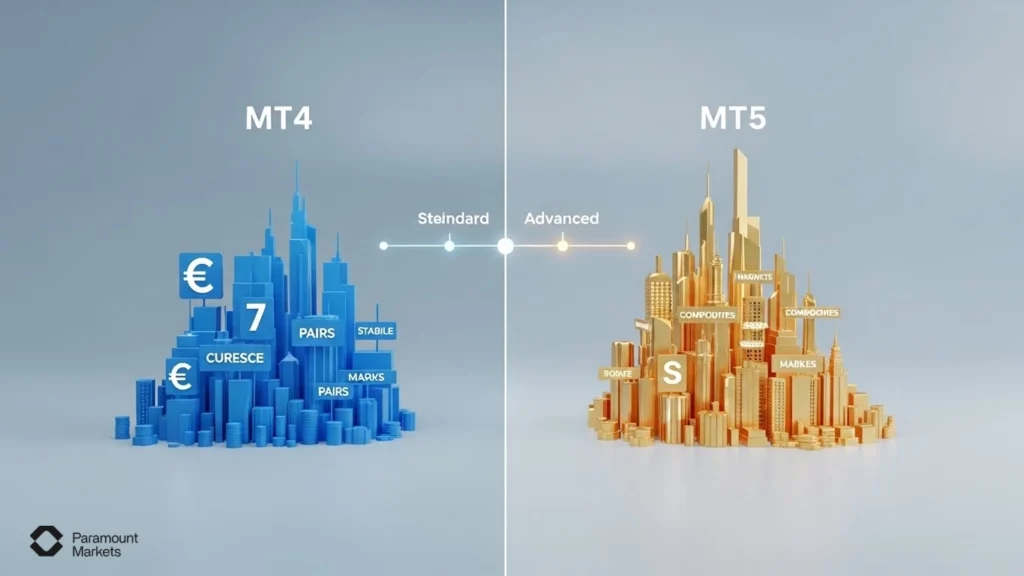
While MT4 has been the Forex trader’s favorite for decades, MT5 is designed for a broad range of financial instruments and complex strategies. What follows is a discussion of the key differences on multiple critical dimensions:
Interface and Usability
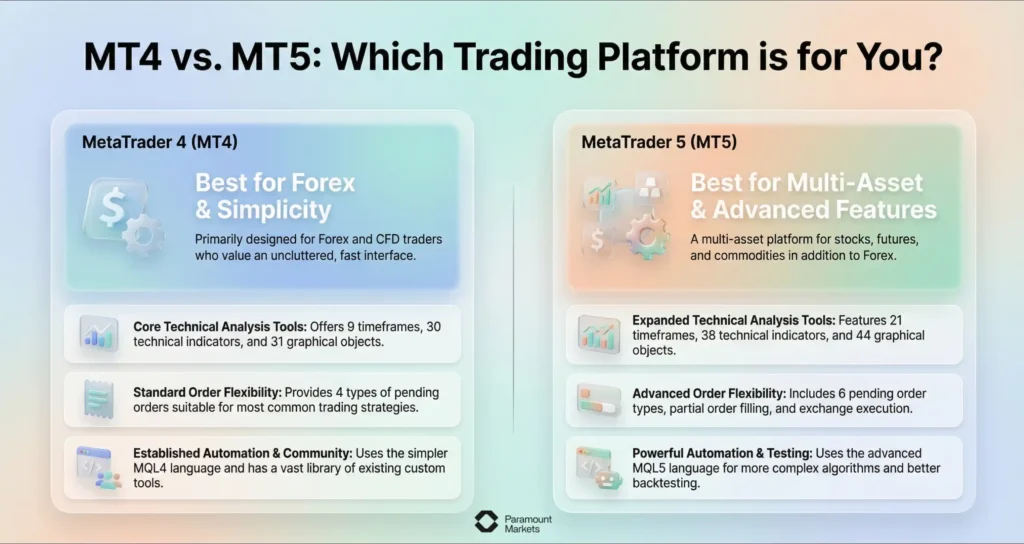
- MT4 is extremely well-received due to its simplicity. Its blazing fast performance, minimalistic design and ease of navigation make it ideal for beginners and traders who like an uncluttered, distraction-free platform.
- MT5, without losing out on the ease of use factor, offers a fresh interface and enhanced functionality. The platform allows for more customisation options, economic news tabs and has more charting layouts. While it is slightly more complex, it is a more powerful environment for advanced users.
Market Coverage and Instruments
- The variety of instruments provided is one key distinction. MT4 is geared primarily for Forex and CFDs, diminishing its appeal for those wishing to trade other markets.
- MT5 is a multi-asset system, as compared. It trades Forex and CFDs, yes, but also stocks, commodities, indices, and futures. For traders wishing to diversify across asset classes, MT5 is a more comprehensive solution.
Order Types and Execution Models
- MT4 includes four pending order types and simple execution models. This is typically sufficient for straightforward trading systems.
- MT5 improves on this with six pending order types, including Buy Stop Limit and Sell Stop Limit. It also supports exchange execution and filling partially orders, giving traders greater flexibility and options in how they open and close positions.
Timeframes and Charting Tools
- MT4 provides 9 built-in timeframes, which are adequate for most retail trading methods. It also possesses 30 integrated technical indicators and 31 graphical objects.
- MT5 increases this to 21 timeframes, 38 integrated indicators, and 44 graphing tools. The greater number allows for more detailed technical analysis and more advanced strategy development.
EAs (Automated Trading) support
- MT4 and MT5 both support Expert Advisors (EAs), but architecturally differently. MT4 uses the MQL4 language, which is less powerful but simpler.
- MT5 uses the more advanced MQL5 object-oriented language, with which more advanced trading algorithms can be developed. MT5 supports multithreaded strategy testing and real tick data for more realistic backtesting.
Community and Custom Indicators
- MT4 boasts an enormous settled base with thousands of free and payable custom indicators, scripts, and EAs.
- MT5 has been expanding substantially over the last few years. It has a robust community as well as a marketplace for premium tools. However, as it uses a different programming language, MT4 indicators cannot be translated directly into MT5.
MetaTrader 4 vs. MetaTrader 5 Comparison Table
Here’s the comparison table between MetaTrader 4 (MT4) and MetaTrader 5 (MT5):
| Feature | MetaTrader 4 (MT4) | MetaTrader 5 (MT5) |
|---|---|---|
| Main Purpose | Forex trading | Multi-asset trading (Forex, stocks, commodities, crypto, etc.) |
| Release Year | 2005 | 2010 |
| Markets Supported | Forex, CFDs | Forex, stocks, commodities, CFDs, cryptocurrencies, indices |
| Order Execution System | Hedging only | Hedging and Netting |
| Order Types | 4 types (Market, Limit, Stop) | 6 types (including Buy Stop Limit & Sell Stop Limit) |
| Chart Timeframes | 9 | 21 |
| Built-in Indicators | 30+ | 80+ |
| Market Depth (DOM) | Not available | Available |
| Economic Calendar | Not available | Integrated |
| Charting Tools & Graphics | Simpler, 31 graphical objects | Advanced, 44 graphical objects |
| Strategy Backtesting | Single-threaded (slower) | Multithreaded (faster) |
| Programming Language | MQL4 (simpler, less advanced) | MQL5 (object-oriented, more powerful) |
| API Support (FIX API) | Supported | Not supported |
| Internal Email System | Yes (no file attachments) | Yes (with file attachments) |
| Platform Versions | Windows, Mobile (iOS, Android), Web | Windows, macOS, Mobile (iOS, Android), Web |
| Broker Support | Very widespread (1200+ brokers) | More limited but growing |
| Ideal For | Beginners and Forex-focused traders | Advanced traders and multi-asset traders |
Who is MetaTrader Best For?
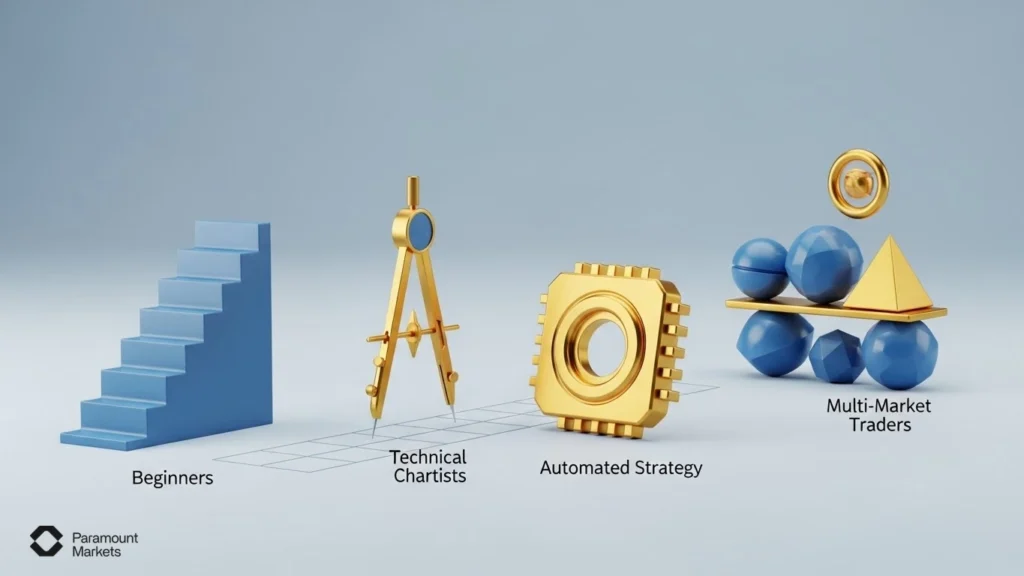
MetaTrader is used to trade Forex and Contracts for Difference (CFDs) on assets. It can be used by anyone from beginner to advanced traders, with different goals:
Looking for a simple and well-structured environment to learn about trading and start placing trades.
Do not want to invest a lot of time or effort into setup, but need a platform to trade on occasionally.
Need a visual charting environment, and depend on chart patterns, indicators and other visual tools to make decisions.
Build and/or run algorithmic systems, and require the execution of their trading commands to be as precise and fast as possible.
Trade across a number of asset classes, such as forex, indices, commodities, or crypto.
Need a controlled environment to develop, backtest and refine trading systems.
How to Get Started with MetaTrader
Getting started with MetaTrader is really easy. However, it is always better to do the right way so that it will create a very solid foundation for your trading process. Here is a generic step-by-step tutorial for MetaTrader which will be universal regardless of the version:
Choose a Reliable Broker
First and most important, choose a reliable broker that supports MetaTrader 4 and/or MetaTrader 5. Ensure the brokers have strong regulatory licenses, positive reputation, competitive spreads, and responsive customer service. A reliable broker safeguards your money and trading conditions.
Download the MetaTrader Platform
After you select your broker, download the MetaTrader trading software from the official website provided above from your selected broker or directly from MetaQuotes (the company that created MetaTrader). Ensure that you download the right version that your broker supports (MT4, MT5, or both).
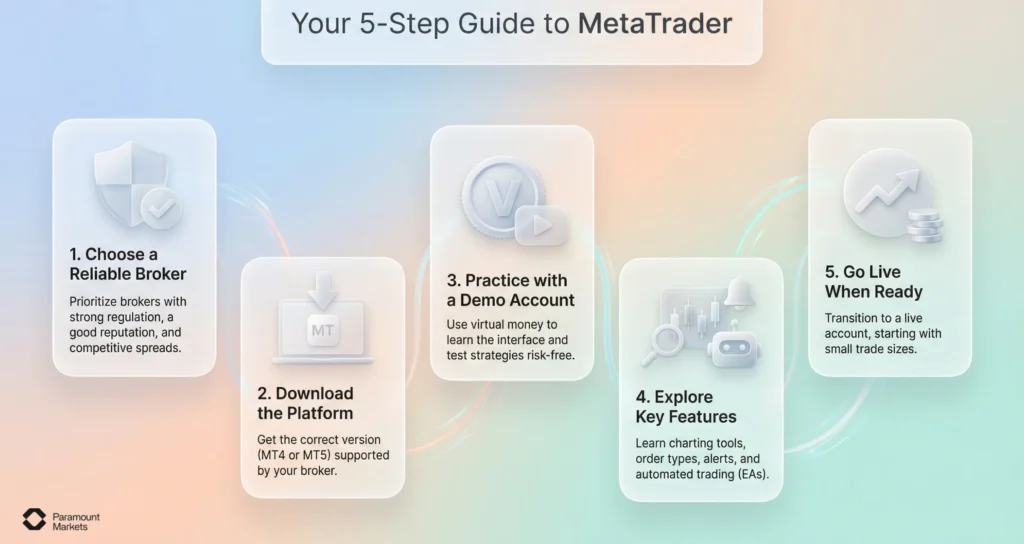
Set Up a Demo Account for Practice
If you can, open a demo account on the platform before you trade with real money. Practice trading with virtual money, get used to the interface, and learn how to use the features such as placing orders, reading charts, and testing EAs without risking any money.
Discover Key Features
Spend time learning key features included in MetaTrader like:
- Charting and technical indicators for the analysis of price action
- Order types and execution methods
- Using Expert Advisors (EAs) to make automated trades
- Price alerts and position management
Understanding these features from the beginning will make you more confident and more effective in trading.
Transition to a Live Account When Ready
After having gained sufficient experience and developed a trading plan on your demo account, move to open a live account with your broker. Start with small trade sizes and gradually increase the exposure as you acclimate yourself to real market conditions.

Why Choose ParamountMarkets? Full Support for MetaTrader 5
ParamountMarkets completely supports MetaTrader 5, ensuring traders get the best from this powerful platform. Whether you’re a new or experienced trader, ParamountMarkets combines MT5’s advanced features with top-notch service and infrastructure to enhance your trading journey, including:
- Seamless integration with MetaTrader 5 for a smooth, reliable trading experience
- Access to multi-asset trading, including Forex, CFDs, stocks, and commodities
- Lightning-fast order execution with minimal latency for better trade entries
- Flexible account options, including swap-free accounts for traders with specific needs
- 24/7 multilingual customer support to assist with all MT5-related inquiries
- Secure, fast deposits and withdrawals with local payment methods available
- Complimentary educational resources and MT5 tutorials to boost your trading skills
So, ParamountMarkets is the best choice for your convenience with MT5 support.
Conclusion
MetaTrader, whether version 4 or version 5, is a comprehensive platform that caters to traders of all types; ranging from beginners to experienced players. Its rich features like technical analysis, fast order execution, automated trading via Expert Advisors (EAs), and advanced features in MT5 make it a multipurpose and efficient tool for trading.
Understanding “What Is MetaTrader” is essential for anyone serious about trading, as it unlocks the full potential of your strategies and decisions. This article has covered all the key aspects to help you get comfortable and confident with the platform.
Now ready to experience the power of MetaTrader 5 with a trusted partner? Open your account with ParamountMarkets today and take your trading to the next level.
FAQ
Is MetaTrader free?
Yes, MetaTrader is free to download and use for trading, but you need to have an account with a broker to start trading live.
Can You Trade Stocks and Other Assets on MetaTrader?
Yes, especially on MetaTrader 5, you can trade a variety of assets including stocks, commodities, indices, and cryptocurrencies.
Is MetaTrader suitable for beginners?
Yes, MetaTrader is beginner-friendly, offering a simple interface and demo accounts that let new traders practice without risk.
Which is better for Beginners: MT4 or MT5?
MT4 is generally better for beginners due to its simpler interface and strong focus on Forex trading, while MT5 suits those who want more advanced tools and multi-asset options.
Disclaimer: The information provided in this article is for educational and informational purposes only and does not constitute financial advice, investment recommendations, or an offer to buy or sell any financial instruments. Trading Foreign Exchange (Forex) and Contracts for Difference (CFDs) involves a high level of risk and may not be suitable for all investors. Leverage can work against you as well as for you. Before deciding to trade, you should carefully consider your investment objectives, level of experience, and risk appetite. You should not invest money that you cannot afford to lose.
